Google Ads: Shopping vs Performance Max
As a webshop owner, you want to maximise revenue from your Google Ads. But which campaign type should you choose: the trusted Shopping or the AI-powered Performance Max? We compare both and help you decide.


If you run a webshop and use Google Ads, you face an important choice: do you go for Standard Shopping campaigns or Performance Max (PMax)? The answer isn't as simple as "PMax is newer, so it's better." Both campaign types have their own strengths and weaknesses, and the right choice depends on your situation, budget and goals.
In this article, we compare both options honestly, so you can make an informed decision.
What Are Standard Shopping Campaigns?
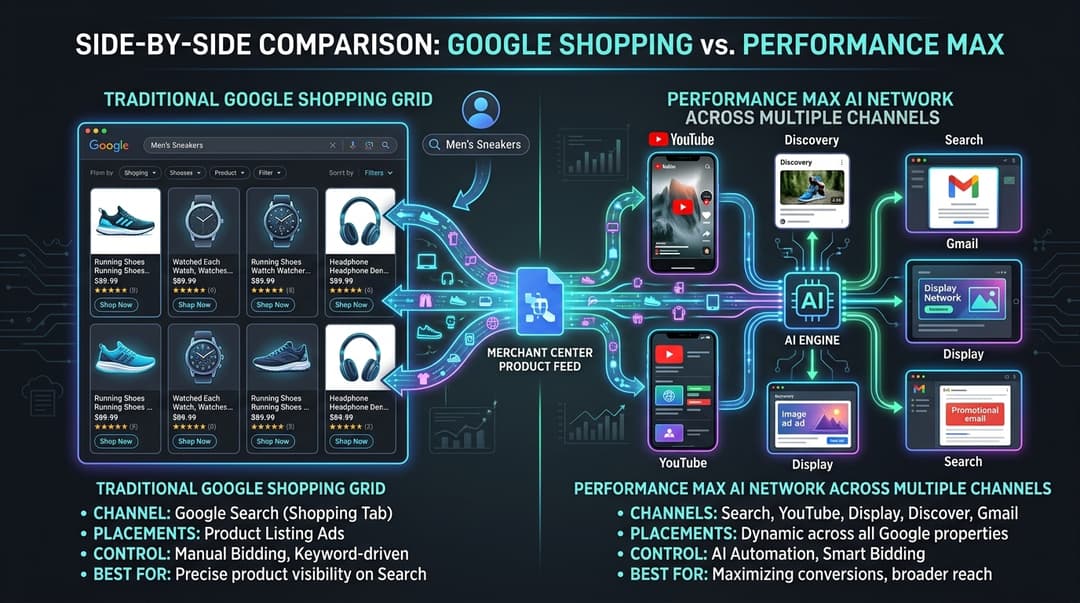
Standard Shopping campaigns are the classic campaign type for e-commerce in Google Ads. They display your products with an image, price and shop name in the Google Shopping tab and search results.
How it works
- You upload your product feed to Google Merchant Center
- Google matches your products to relevant search queries
- You set bids per product group
- Ads appear in Shopping results
Advantages of Standard Shopping
- Full control over bids per product (group)
- Search term visibility, so you can see exactly which search queries you're showing for
- Negative keywords let you exclude irrelevant search terms
- Predictable results that are consistent and transparent
- Segmentation options to split campaigns by margin, category or season
Disadvantages of Standard Shopping
- Limited reach with Shopping placements only, no Display, YouTube, etc.
- More manual work since bids and structure need to be actively managed
- No automatic expansion to new channels
What Is Performance Max for E-commerce?
Performance Max is Google's newest campaign type that uses AI to show your products across all Google channels: Search, Shopping, Display, YouTube, Gmail, Maps and Discover.
How it works
- You link your product feed from Merchant Center
- You create asset groups with headlines, descriptions, images and videos
- Google's AI determines where, when and to whom your ads are shown
- The system automatically optimises for your conversion goal
Advantages of Performance Max
- Maximum reach across all Google channels simultaneously
- AI optimisation that finds customers you would miss on your own
- Less management time because the system does much of it automatically
- Audience signals that give Google hints about your ideal customer
- PMax excels at reaching new audiences and generating new customers
Disadvantages of Performance Max
- Limited transparency, since you don't know exactly which channel delivers what
- Brand traffic capturing, where PMax often "steals" conversions from your brand search terms
- Less control because you can't set negative keywords (except at account level)
- Many assets needed for optimal performance, requiring strong creatives
- It works as a black box, making it difficult to determine why something does or doesn't work
The Big Comparison
Control vs Automation
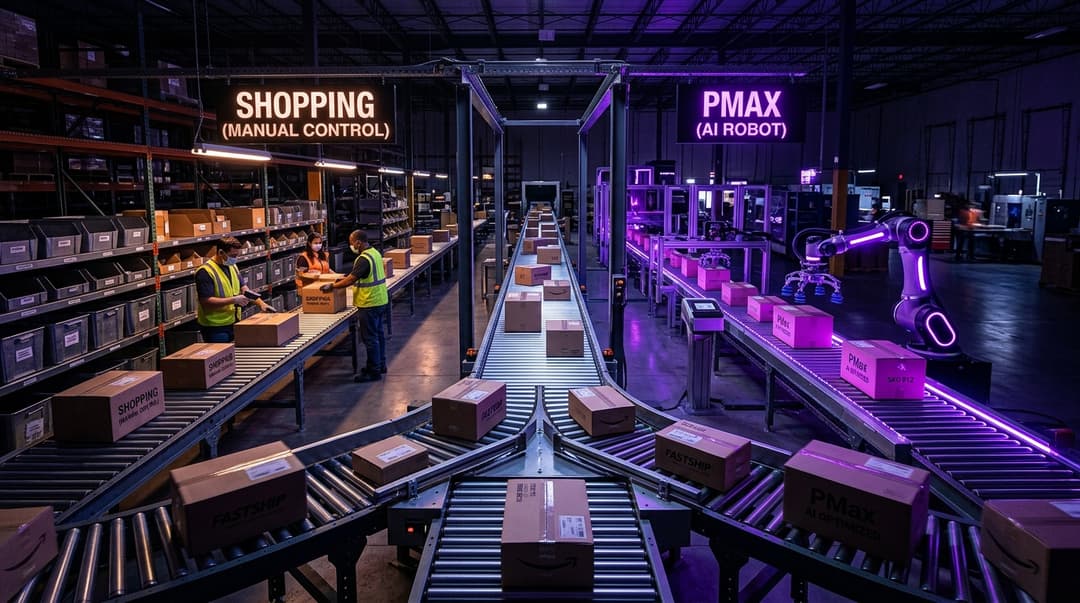
Shopping puts you in the driver's seat. You decide how much to bid, on which products, and for which search terms. Ideal if you know what works and want to fine-tune.
PMax takes over the wheel. Google's AI makes decisions based on data. Ideal if you want to scale and are willing to give up control.
Transparency
With Shopping, you see exactly which search terms customers use, what your CPC is per product, and which products perform. You can make data-driven optimisations.
With PMax, you get limited insights. The Insights tab shows trends, but you miss the detailed search terms report that Shopping offers.
Reach and Scaling
Shopping is limited to Shopping placements. If you want more reach, you need separate Display and YouTube campaigns.
PMax automatically combines all channels. This makes scaling simpler: you increase the budget and PMax looks for more conversion opportunities.
Cost and Efficiency
Both campaign types can be cost-efficient, but in different ways:
- Shopping is often more efficient for high-intent search terms because you can steer precisely
- PMax can deliver cheaper conversions by tapping into new channels and audiences
When Should You Choose Standard Shopping?
Standard Shopping is the better choice when:
- You have a limited budget and every euro needs to count
- You want full control over your campaigns
- You sell products with high margins where detailed bidding is useful
- You operate in a niche market with low search volume
- You have an experienced Google Ads specialist managing the campaigns
- You have seasonal products that require quick adjustments
When Should You Choose Performance Max?
Performance Max is the better choice when:
- You want to scale and reach new customers
- You have a large product range
- You have limited time for campaign management
- You have strong creative assets (photos, videos)
- You already have good first-party data (customer lists, remarketing audiences)
- You operate in a competitive market and want to leverage all channels
The Hybrid Approach: The Best of Both Worlds
In practice, we often recommend a hybrid strategy that combines both campaign types:
Step 1: Start with Standard Shopping
Begin with Standard Shopping to learn which products perform well, which search terms convert, and what your average CPA and ROAS are. This data is extremely useful.
Step 2: Add Performance Max
Once you have sufficient data, add a PMax campaign. Use your Shopping data to set up strong audience signals.
Step 3: Exclude Brand Traffic from PMax
Set account-level negatives for your brand name. This prevents PMax from claiming your brand conversions and gives a fairer picture of actual performance.
Step 4: Optimise Your Feed
Regardless of which campaign type you choose, your product feed is the foundation. Invest in:
- Optimised product titles with relevant search terms
- Detailed descriptions that mention all product features
- High-quality product photos with a white background
- Correct categorisation according to Google's product categories
- Up-to-date prices and stock, because nothing is more frustrating than an out-of-stock product in your ads
Step 5: Measure and Compare
Compare the performance of both campaign types monthly on:
- ROAS (Return on Ad Spend)
- CPA (Cost per Acquisition)
- Incremental revenue: what does PMax truly bring in extra?
- New vs returning customers: is PMax genuinely generating new customers?
Common Mistakes
1. Running PMax without Shopping data
If you start directly with PMax without historical data, Google has no frame of reference. Always start with Shopping to build up data.
2. No feed optimisation
Your campaign is only as good as your feed. A poor feed = poor results, regardless of the campaign type.
3. Not excluding brand traffic
If you run PMax without brand exclusions, those campaigns claim up to 60% of your brand conversions. That massively skews your results.
4. Too few assets for PMax
PMax needs at least 5 headlines, 5 descriptions, 5 images and ideally a video. Without strong assets, Google can't optimise effectively.
Conclusion
There is no universally "better" campaign type. Shopping offers control and transparency. Performance Max offers reach and scaling. The best webshops use both strategically.
Want to know which approach suits your webshop best? At Saerens Advertising, we analyse your current campaigns, product feed and market position to develop a tailored strategy. Request a free Google Ads audit and discover how much revenue you're leaving on the table.
Related Articles



Need help with your marketing?
Request a free audit today and discover where you're missing opportunities.